# 快速開始 - 網頁端

### 1. 訪問網頁平台

打開瀏覽器，訪問 BitFrog 官網：

👉 [https://bitfrog.io](https://bitfrog.io/)

***

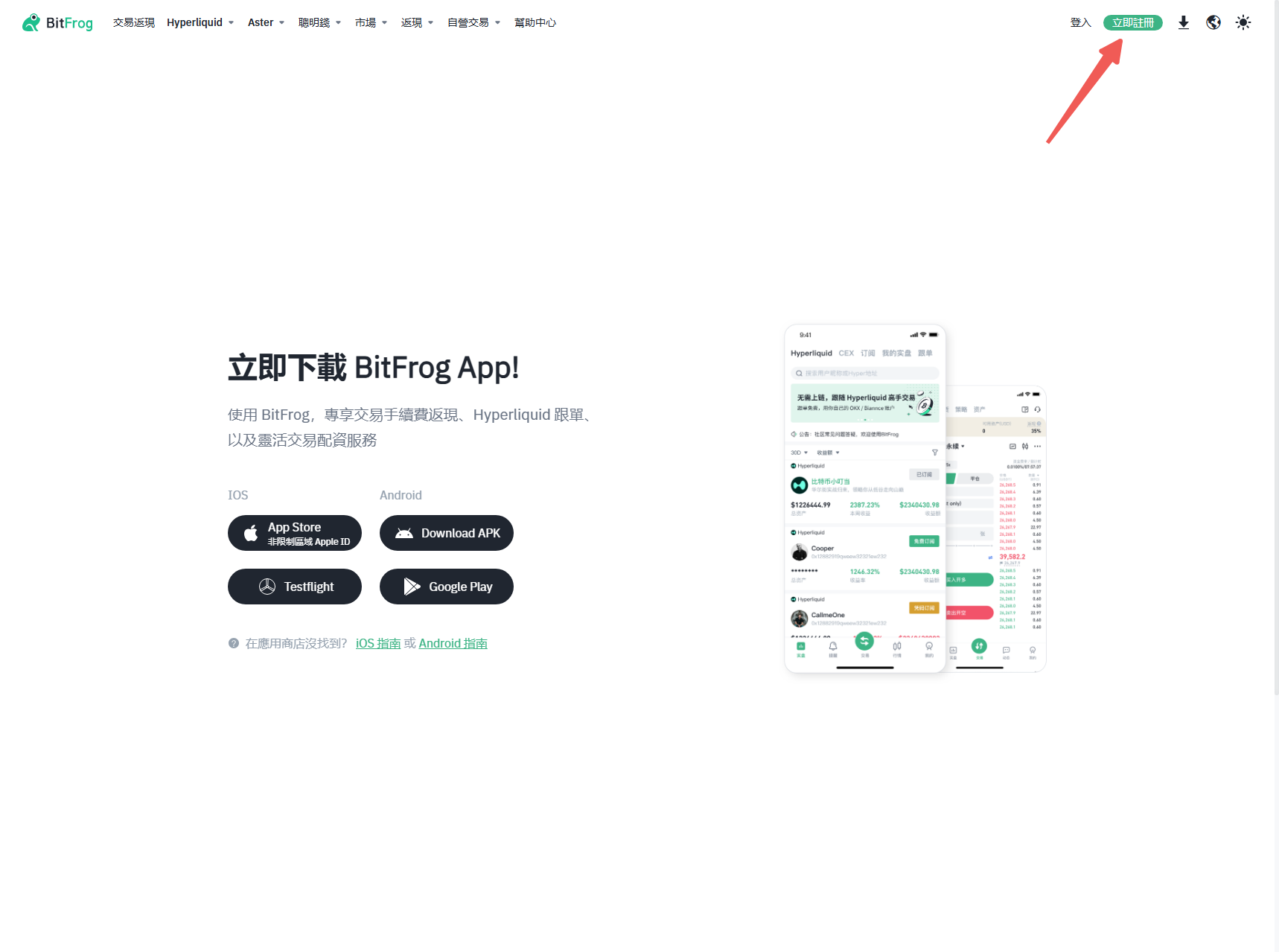
### 2. 登入您的帳戶

輸入您的 BitFrog 帳戶憑證（電子郵件和密碼）。

如有提示，完成驗證碼驗證。

如果您還沒有帳戶，請點擊「註冊」進行註冊。

💡 提示：BitFrog 網頁版允許您直接連接已有的交易所帳戶（如幣安、OKX），無需轉入資金。

<figure><img src="/files/kUiSGAJLILvqQggLkFnF" alt=""><figcaption></figcaption></figure>

***

### 3. 連接您的交易所帳戶

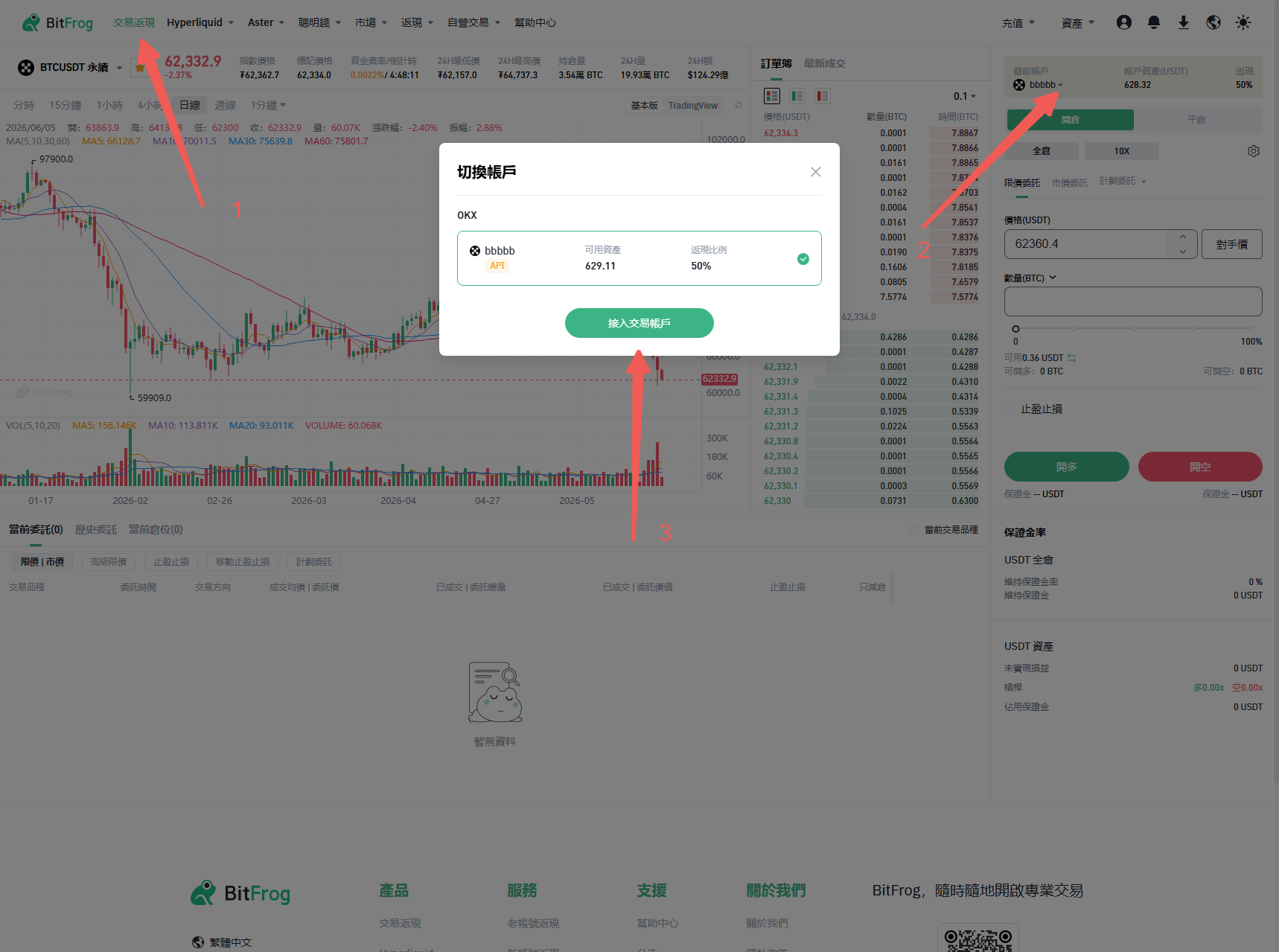
開始跟單交易或手動交易前，需要先授權您的交易所帳戶：

進入「交易返現」→「當前帳戶」→「接入交易帳戶」

選擇您的交易所（如幣安、OKX、Bybit、Hyperliquid）

一鍵授權接入（建議），或手動輸入您的 API Key、Secret Key 以及 Passphrase

點擊「授權接入」

⚠️ 安全提示：只啟用交易和讀取權限，請勿開啟提現權限。

<figure><img src="/files/tlnf3mpWdlaFoyj2zG8j" alt=""><figcaption></figcaption></figure>

***

### 4. 探索主要功能

連接成功後，您可以透過網頁控制台使用以下功能。

***

### 5. 開始您的第一筆交易

#### 方式一：手動交易

進入「交易」→「現貨」或「合約」

選擇交易對（如 BTC/USDT）

輸入數量並下單

#### 方式二：跟單交易

進入「跟單交易」→「交易員」

依收益率、管理規模或勝率瀏覽交易員列表

點擊「跟單」並設定跟單金額

#### 方式三：策略交易

進入「策略」→「TV訊號交易」

建立新訊號，複製 Webhook URL

將其貼上至您的 TradingView 警報設定中

***

### 6. 查看您的投資組合

在「資產管理」頁面，您可以查看：

* 總資產與盈虧
* 持倉中的倉位與訂單紀錄
* 每日返傭與理財收益

***

### 7. 需要幫助？

Telegram：@bitfrog0002

社群：加入 BitFrog 官方 Telegram 群組：<https://t.me/bitfrog_io>

文件中心：訪問 [https://docs.bitfrog.io](https://docs.bitfrog.io/)

***

🎉 一切就緒！從今天開始，使用 BitFrog 開啟更智慧的交易之旅。<br>


---

# Agent Instructions: Querying This Documentation

If you need additional information that is not directly available in this page, you can query the documentation dynamically by asking a question.

Perform an HTTP GET request on the current page URL with the `ask` query parameter:

```
GET https://docs.bitfrog.io/zh-tw/xin-shou-ru-men/kuai-su-kai-shi-wang-ye-duan.md?ask=<question>
```

The question should be specific, self-contained, and written in natural language.
The response will contain a direct answer to the question and relevant excerpts and sources from the documentation.

Use this mechanism when the answer is not explicitly present in the current page, you need clarification or additional context, or you want to retrieve related documentation sections.