# Binance 帳戶程式化交易返傭接入教程

**注意：** 此方式僅限擁有自主開發能力（量化團隊），並直接調用交易所 API 進行下單的客戶。

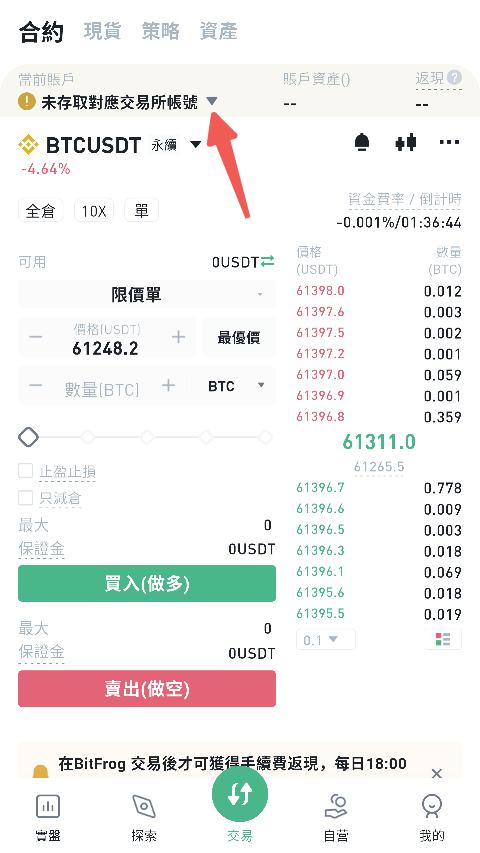
1. 點擊「接入交易帳戶」按鈕進入接入頁面

   <figure><img src="/files/KEa5wkpKpGTT6sCCT8Za" alt="" width="360"><figcaption></figcaption></figure>
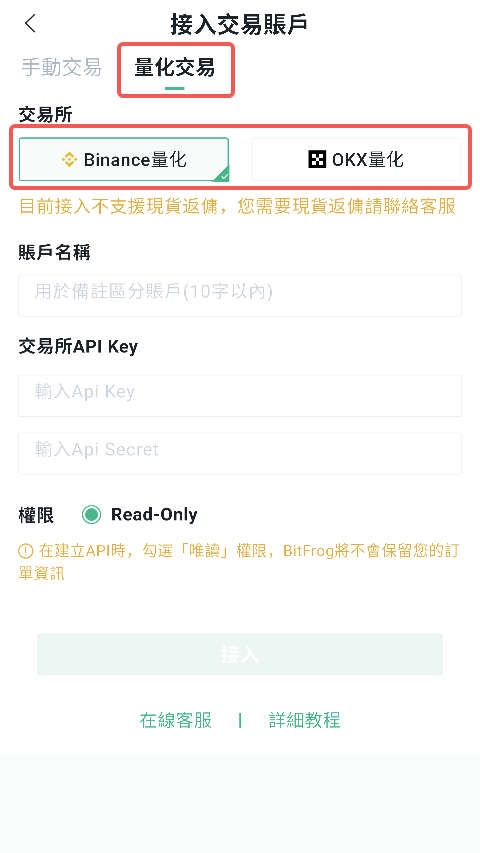
2. 選擇要接入的交易平台
   * 幣安量化
   * OKX 量化

**提示：** 當前量化帳戶接入暫不支援幣安現貨返傭，如有需要請聯繫客服：tietouqincai

<figure><img src="/files/JpkY5MHtKDEoJQRLIRpp" alt="" width="360"><figcaption></figcaption></figure>

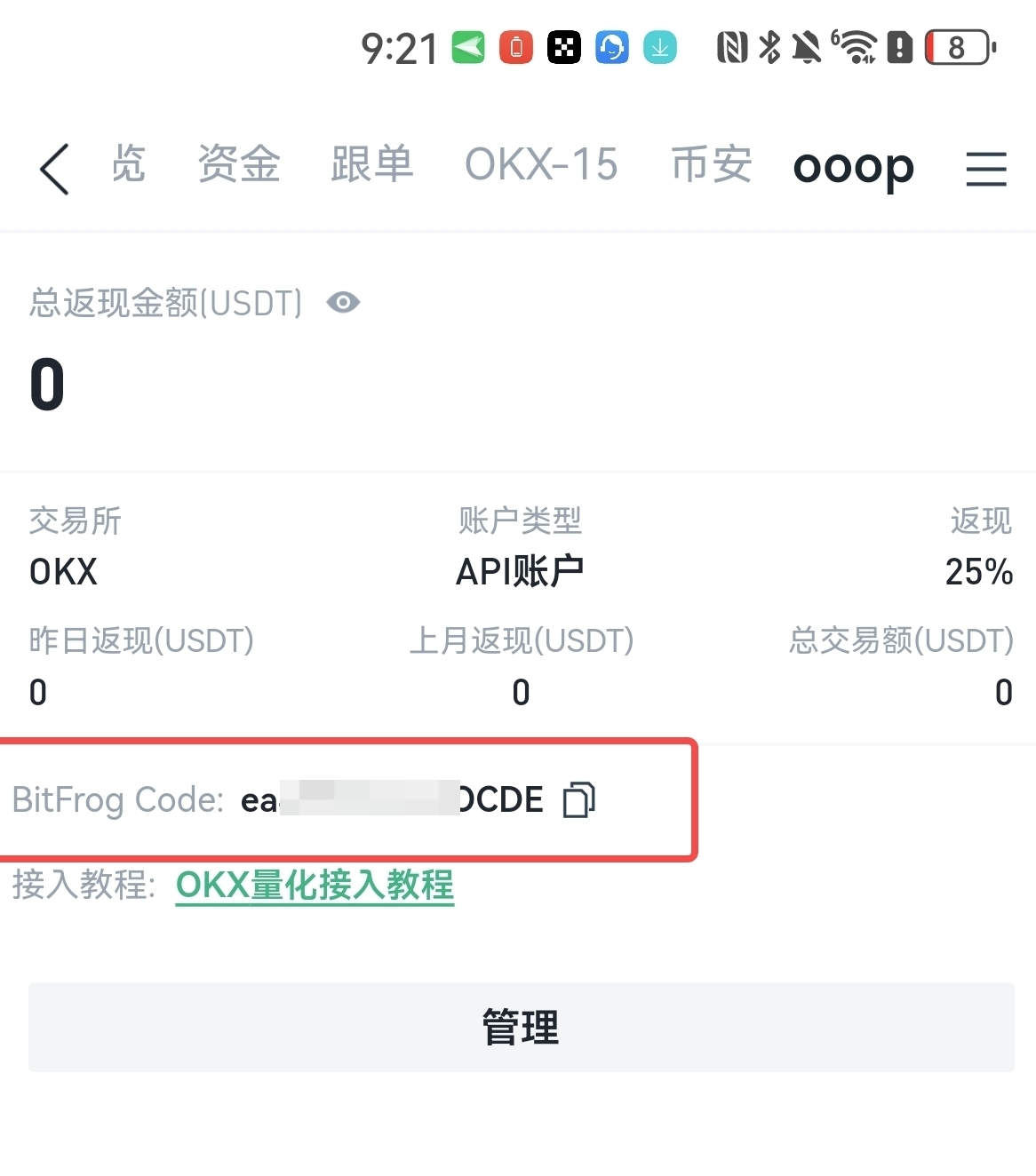
3.接入成功後獲取 BitFrog Code 碼

接入成功後，系統將自動提供 BitFrog Code 碼。

請修改您的程式，在調用 Binance 下單介面時，新增欄位：

`newClientOrderId`

並將其值設定為：

`x-{BitFrog_Code}-{unique_id}`

其中：

* `{BitFrog_Code}` 為接入成功後系統自動提供的專屬字串
* `{unique_id}` 為隨機字串

格式需符合：

`^[\.A-Z\:/a-z0-9_-]{1,25}$`

否則相關交易產生的手續費將無法獲得返現。

<figure><img src="/files/mZF7ycw14UmRuD2k4yCV" alt="" width="375"><figcaption></figcaption></figure>

Binance 相關文件：[Binance API文件](https://binance-docs.github.io/apidocs/futures/cn/#trade-3)


---

# Agent Instructions: Querying This Documentation

If you need additional information that is not directly available in this page, you can query the documentation dynamically by asking a question.

Perform an HTTP GET request on the current page URL with the `ask` query parameter:

```
GET https://docs.bitfrog.io/zh-tw/jiao-yi-zhi-nan/jiao-yi-fan-yong/binance-zhang-hu-cheng-shi-hua-jiao-yi-fan-yong-jie-ru-jiao-cheng.md?ask=<question>
```

The question should be specific, self-contained, and written in natural language.
The response will contain a direct answer to the question and relevant excerpts and sources from the documentation.

Use this mechanism when the answer is not explicitly present in the current page, you need clarification or additional context, or you want to retrieve related documentation sections.