# 注销账户

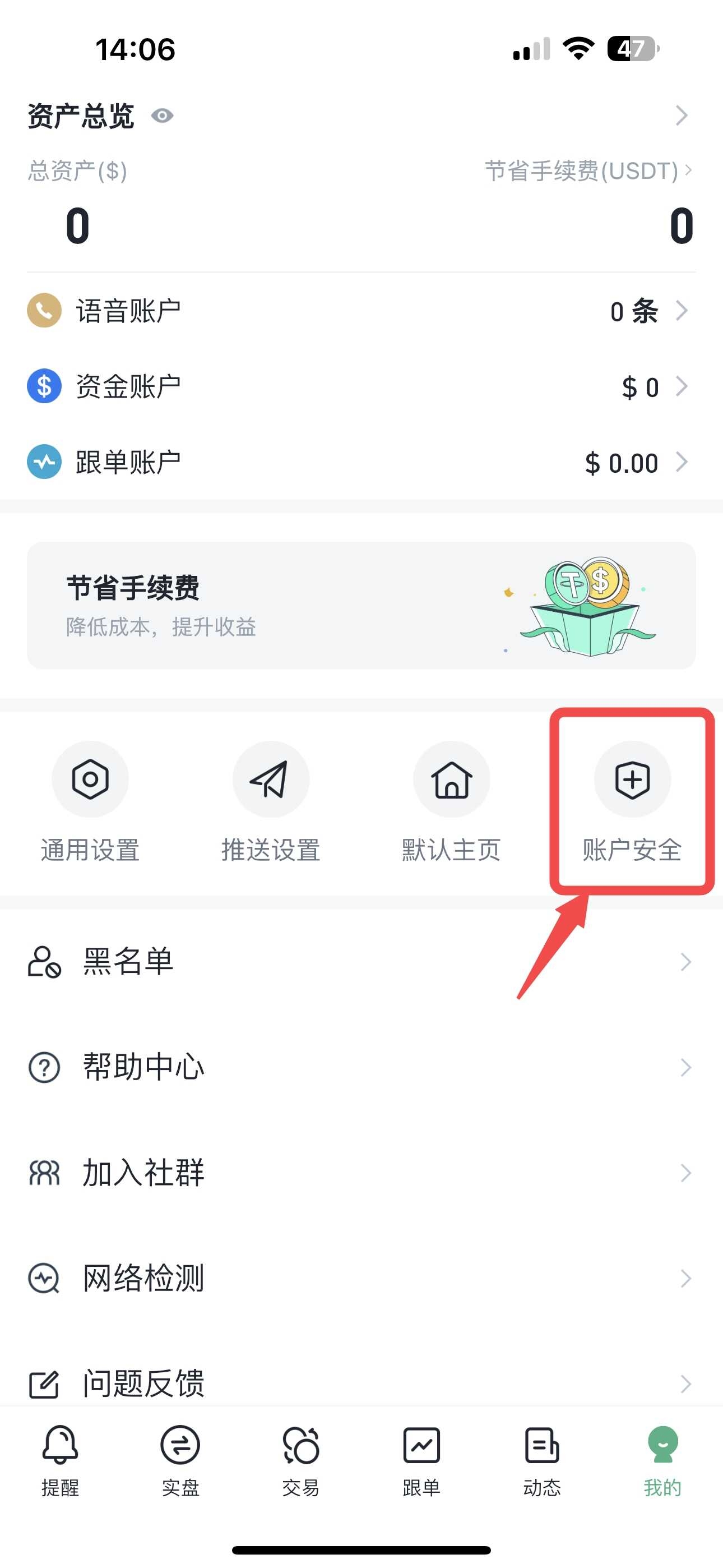
1. 打开APP，在“我的”页面点击账户安全

   <figure><img src="/files/w4UQgil5Vte7JgXaUxRj" alt="" width="375"><figcaption></figcaption></figure>
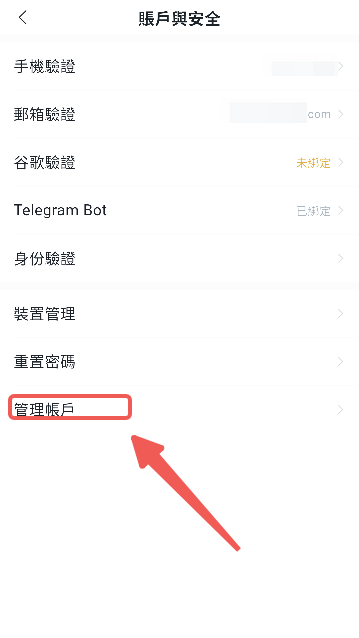
2. 点击“管理账户”

   <figure><img src="/files/TRWR0IKDViDNDCatB647" alt="" width="375"><figcaption></figcaption></figure>
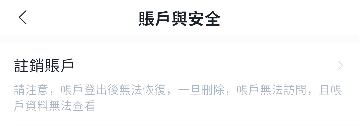
3. 点击”注销账户“，并根据需求填写邮箱验证码等相关信息

   <figure><img src="/files/9iYI94v0IGxWmz5V4y47" alt="" width="375"><figcaption></figcaption></figure>
4. 注销成功\
   注：注销成功后账户可重新注册使用

​


---

# Agent Instructions: Querying This Documentation

If you need additional information that is not directly available in this page, you can query the documentation dynamically by asking a question.

Perform an HTTP GET request on the current page URL with the `ask` query parameter:

```
GET https://docs.bitfrog.io/zh-tw/jiao-yi-zhi-nan/zhang-hu-an-quan/zhu-xiao-zhang-hu.md?ask=<question>
```

The question should be specific, self-contained, and written in natural language.
The response will contain a direct answer to the question and relevant excerpts and sources from the documentation.

Use this mechanism when the answer is not explicitly present in the current page, you need clarification or additional context, or you want to retrieve related documentation sections.