# 如何在 BitFrog 接收 TradingView 警報

&#x20;TradingView 警報是在市場達到您自訂條件時觸發的即時通知。本文將詳細介紹如何透過[ TradingView](https://www.tradingview.com/)  設定警報，以便在 BitFrog APP 端即時接收推播通知。

&#x20;

注意：

* 用戶須升級至 TradingView Pro 後才能使用警報功能。
* 請勿對外分享您的 Webhook URL，因為這可能導致您收到詐騙資訊。
* 部分 TradingView 警報僅會根據用戶設定的條件發送。

#### 第 1 步

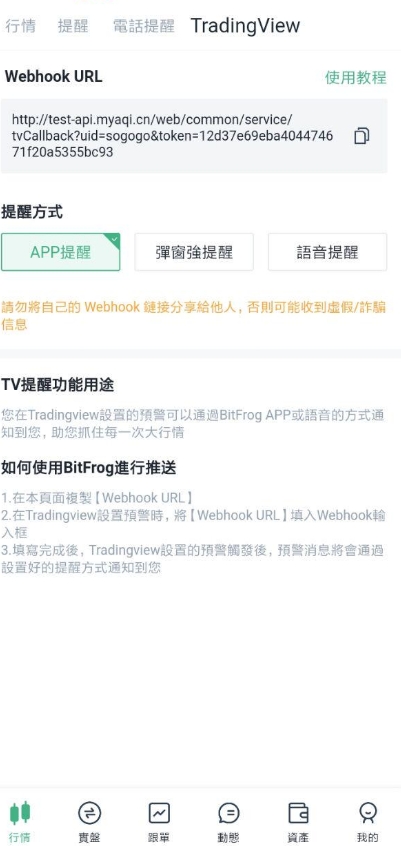
在【行情】→【TradingView】中獲取您的 BitFrog Webhook URL。

點擊【複製 URL】獲取 BitFrog Webhook URL。
<figure><img src="/files/R6nciQYymyuwWXwIrj9C" alt="" width="301"><figcaption></figcaption></figure>

#### 第 2 步

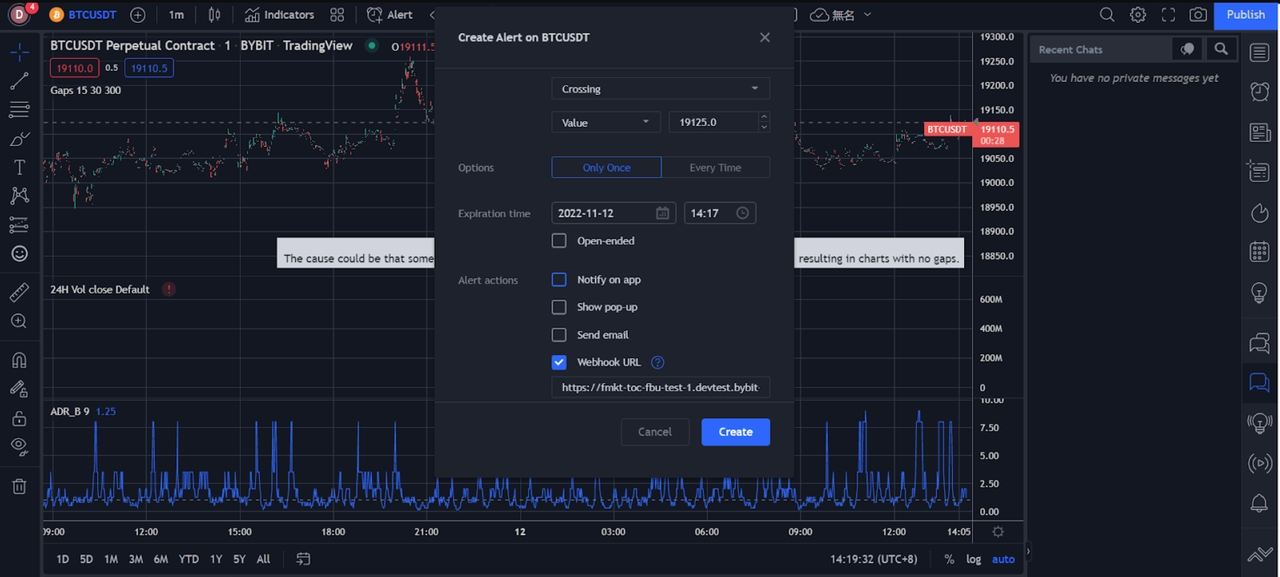
透過 BitFrog Webhook URL，在 TradingView 上設定價格、指標和自訂圖表警報。

<figure><img src="/files/iTbSfOFn4ccc7QHasvhr" alt="" width="563"><figcaption></figcaption></figure>

#### 第 3 步

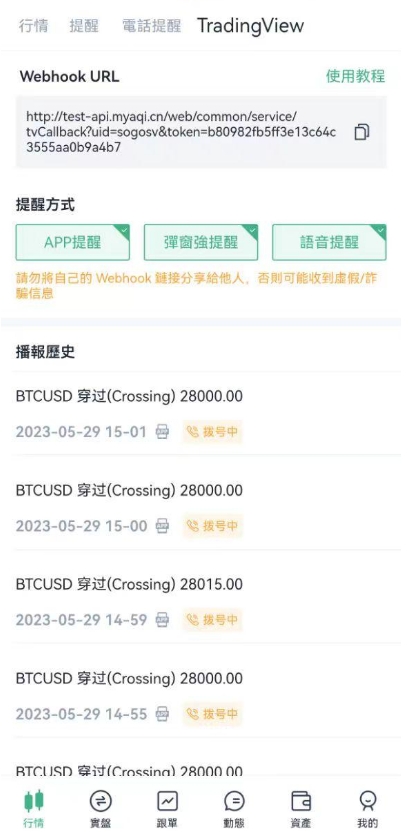
警報訊息將推送至您的 BitFrog APP，您將即時收到推播通知

<figure><img src="/files/3h0T0UQcUN3wVWapfppE" alt="" width="310"><figcaption></figcaption></figure>

​


---

# Agent Instructions: Querying This Documentation

If you need additional information that is not directly available in this page, you can query the documentation dynamically by asking a question.

Perform an HTTP GET request on the current page URL with the `ask` query parameter:

```
GET https://docs.bitfrog.io/zh-tw/jiao-yi-zhi-nan/ti-xing-gong-neng/ru-he-zai-bitfrog-jie-shou-tradingview-jing-bao.md?ask=<question>
```

The question should be specific, self-contained, and written in natural language.
The response will contain a direct answer to the question and relevant excerpts and sources from the documentation.

Use this mechanism when the answer is not explicitly present in the current page, you need clarification or additional context, or you want to retrieve related documentation sections.