# 【交易員】如何開啟與關閉實盤帶單

### &#x20;開啟與關閉實盤帶單

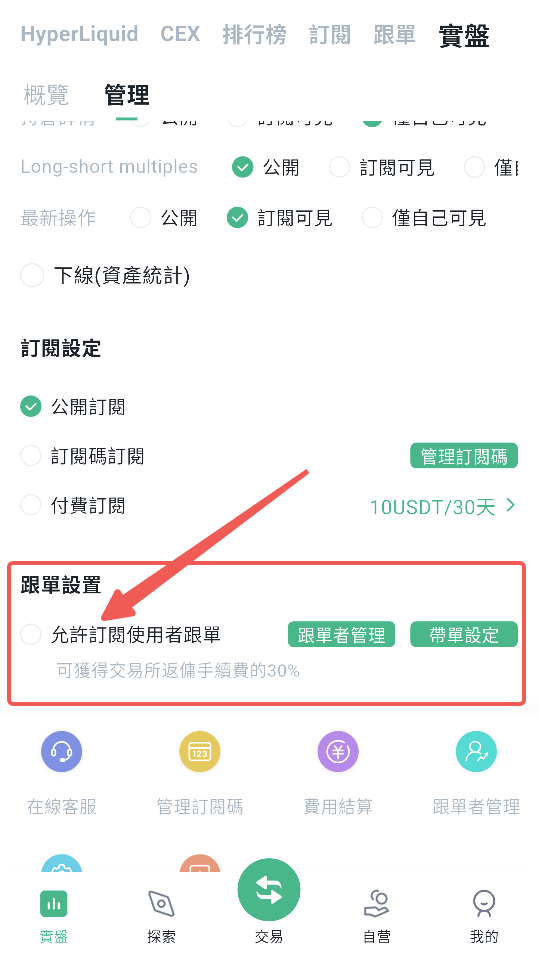
交易員接入實盤後，只需在「我的實盤」中選中自己要帶單的實盤，並選擇開啟「允許訂閱用戶跟單」選項，即可進行實盤帶單。

<figure><img src="/files/MWUmyiP4EloxsVlzVGv7" alt="" width="404"><figcaption></figcaption></figure>

### 管理實盤帶單

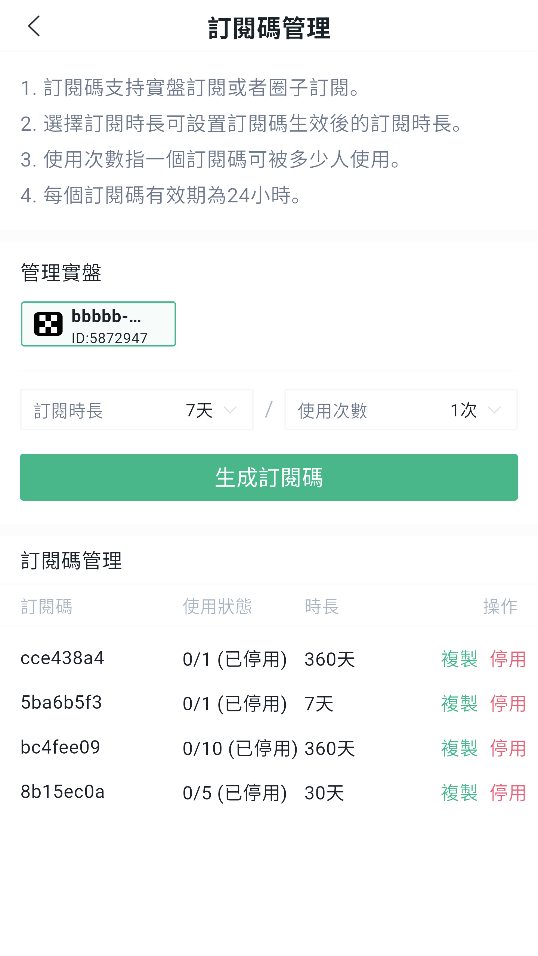
訂閱設定

用戶可對自己的實盤進行訂閱相關設定。

BitFrog 目前提供三種設定選項：

* 公開訂閱
* 訂閱碼訂閱
* 付費訂閱

其中，訂閱碼訂閱與付費訂閱可同時開啟。

用戶亦可對訂閱碼進行管理，從而實現私域帶單或付費帶單。

<figure><img src="/files/PurN4fPBTqeMDcchjcGB" alt="" width="404"><figcaption></figcaption></figure>

### 帶單設定

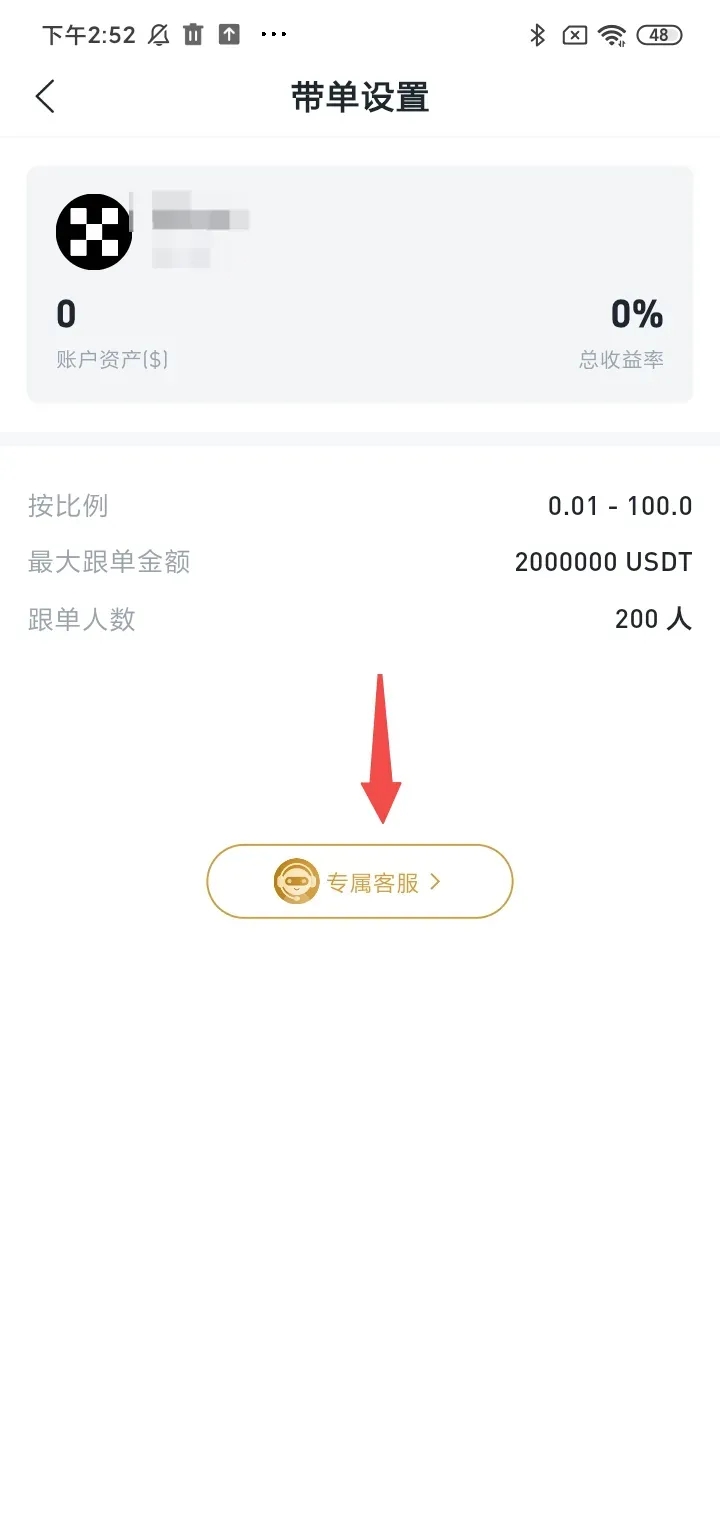
帶單設定相關數值如圖所示，均為固定值。\
如需修改，請聯繫專屬客服。

<figure><img src="/files/l5VWkwpvYoRzdGodVhQ4" alt="" width="360"><figcaption></figcaption></figure>

### 跟跟單者管理

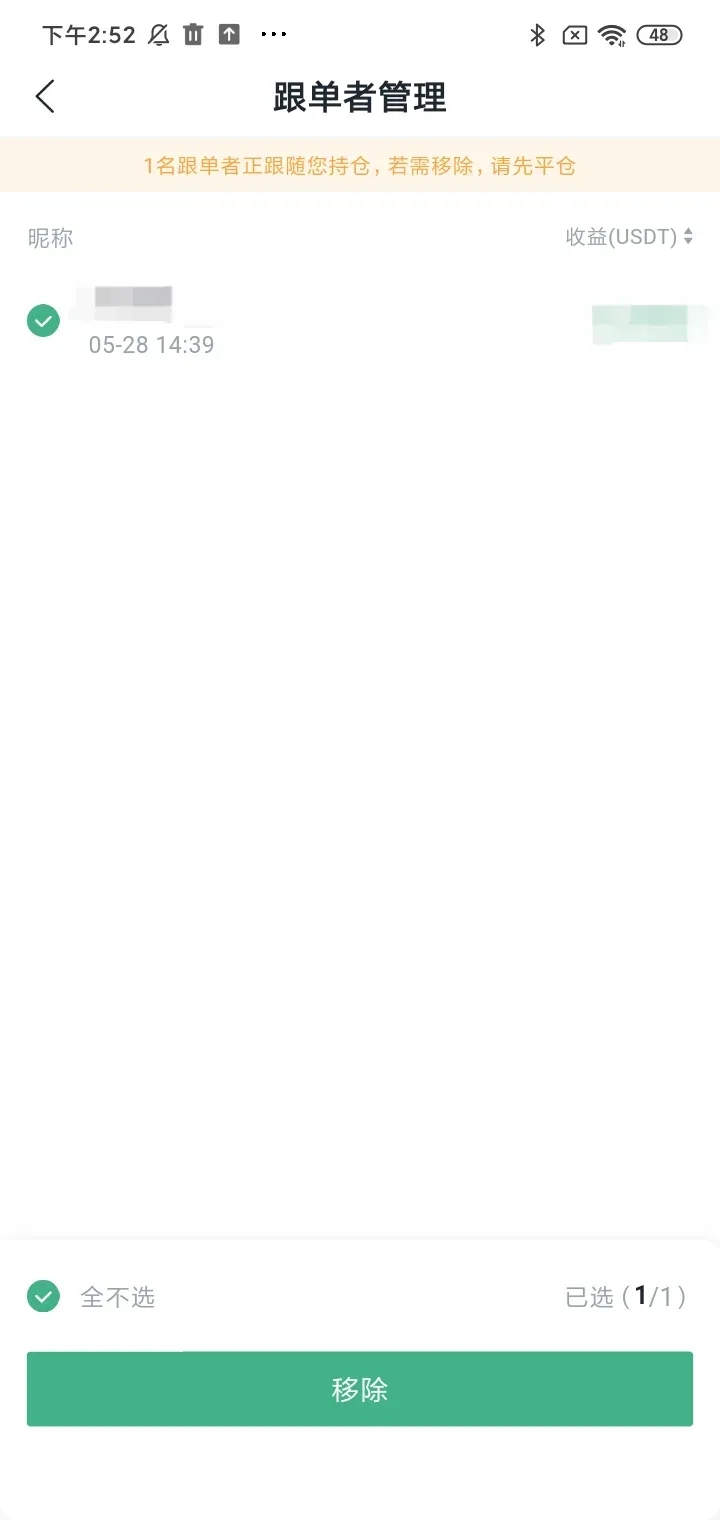
帶單交易員可對跟單者進行管理，選擇移除當前正在跟單的用戶。

<figure><img src="/files/BWhXkcmWSlQAvs9ZXLQI" alt="" width="360"><figcaption></figcaption></figure>

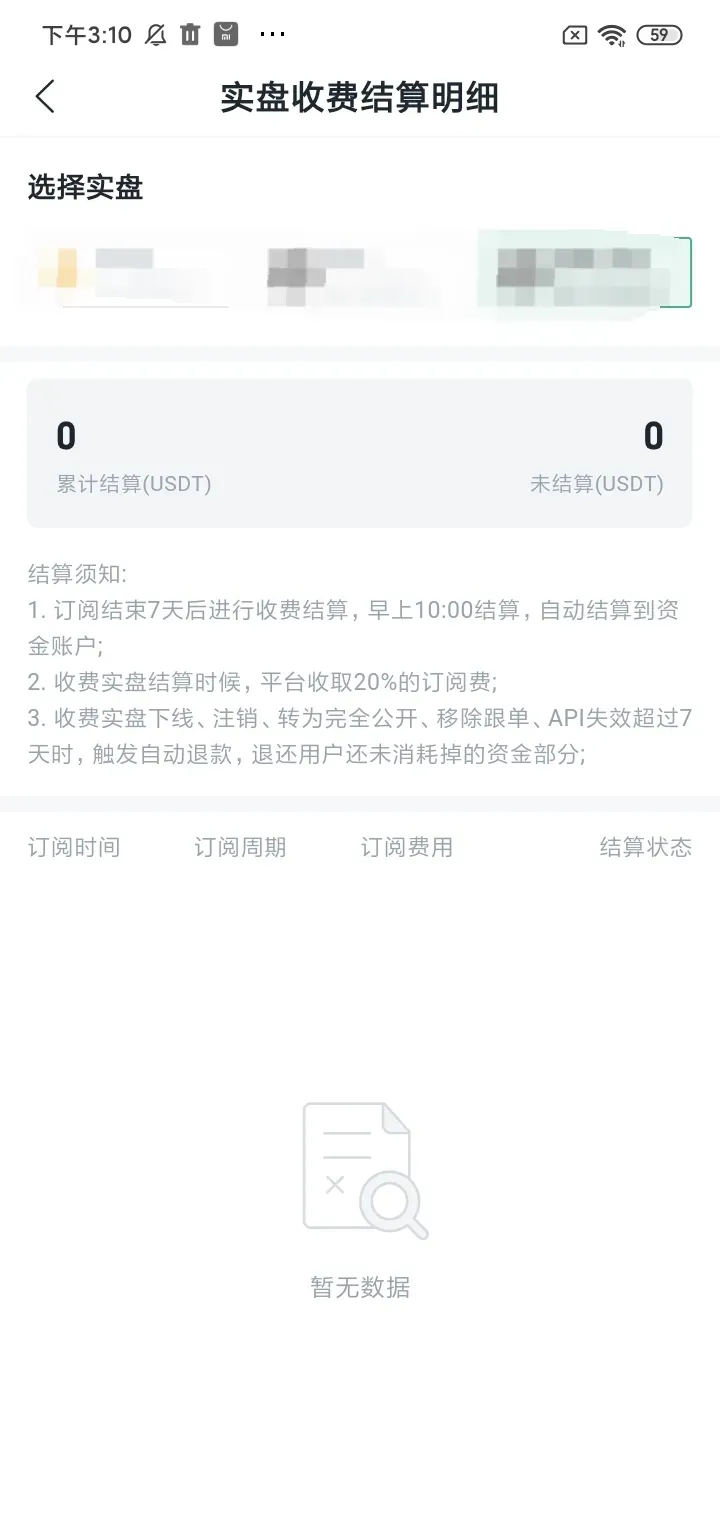
### 收費查看

用戶可隨時查看實盤收費結算明細，了解收費情況。

<figure><img src="/files/ZK2d7zb5UM5w3VkS3l1n" alt="" width="360"><figcaption></figcaption></figure>

### 免責聲明

本文章 / 部落格僅供參考。本文無意提供：

（i）投資建議或投資推薦；\
（ii）購買、出售或持有數位資產的要約或招攬；\
（iii）財務、會計、法律或稅務建議。

持有數位資產涉及高風險，可能會大幅波動，甚至變得毫無價值。

您應根據自己的財務狀況，仔細考慮交易或持有數位資產是否適合您。

請您自行負責了解並遵守當地適用法律與法規。


---

# Agent Instructions: Querying This Documentation

If you need additional information that is not directly available in this page, you can query the documentation dynamically by asking a question.

Perform an HTTP GET request on the current page URL with the `ask` query parameter:

```
GET https://docs.bitfrog.io/zh-tw/jiao-yi-zhi-nan/gen-dan-xiang-guan/jiao-yi-yuan-ru-he-kai-qi-yu-guan-bi-shi-pan-dai-dan.md?ask=<question>
```

The question should be specific, self-contained, and written in natural language.
The response will contain a direct answer to the question and relevant excerpts and sources from the documentation.

Use this mechanism when the answer is not explicitly present in the current page, you need clarification or additional context, or you want to retrieve related documentation sections.