# OKX帳戶授權接入說明

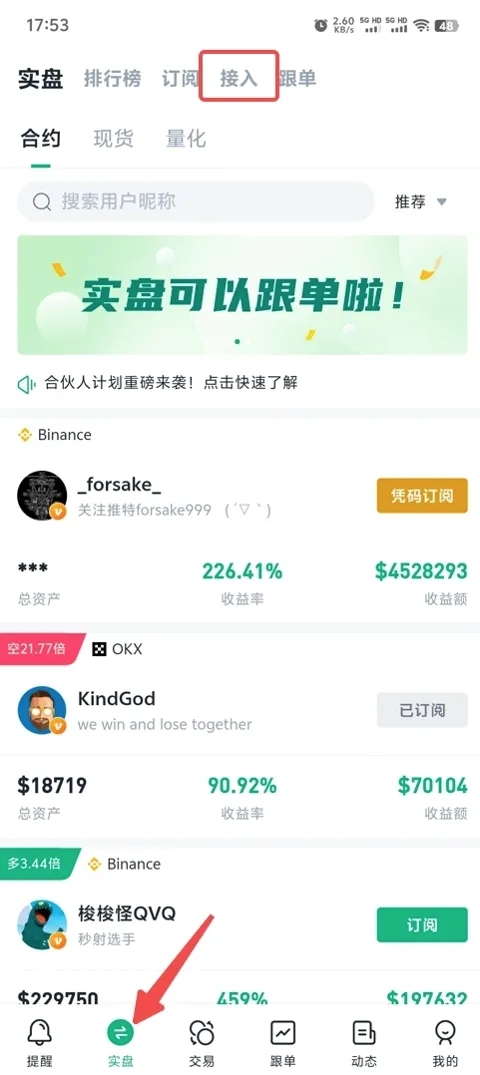
1. 點擊「實盤」，選擇接入。

   <figure><img src="/files/RSbdntNQb3lmg9h1LdNq" alt="" width="240"><figcaption></figcaption></figure>
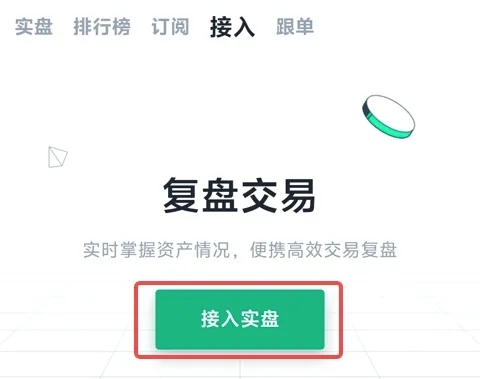
2. 點擊「實盤接入」。

   <figure><img src="/files/i611ZMjtGlm5chfk3dBi" alt="" width="240"><figcaption></figcaption></figure>
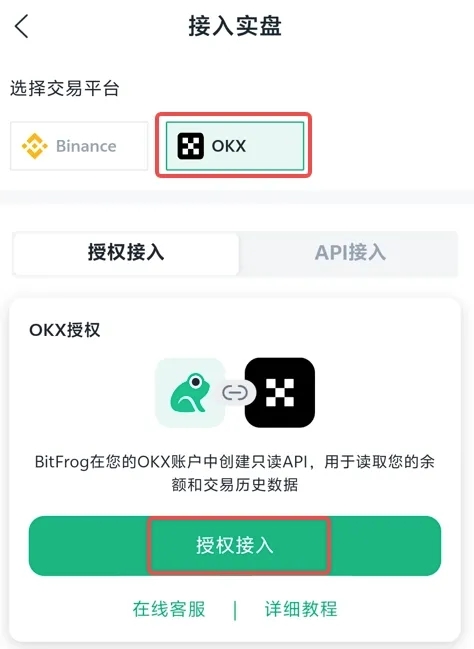
3. 授權成功後，實盤接入成功。

   <figure><img src="/files/iMyMg7p0dCjf2tWGpbDF" alt="" width="237"><figcaption></figcaption></figure>
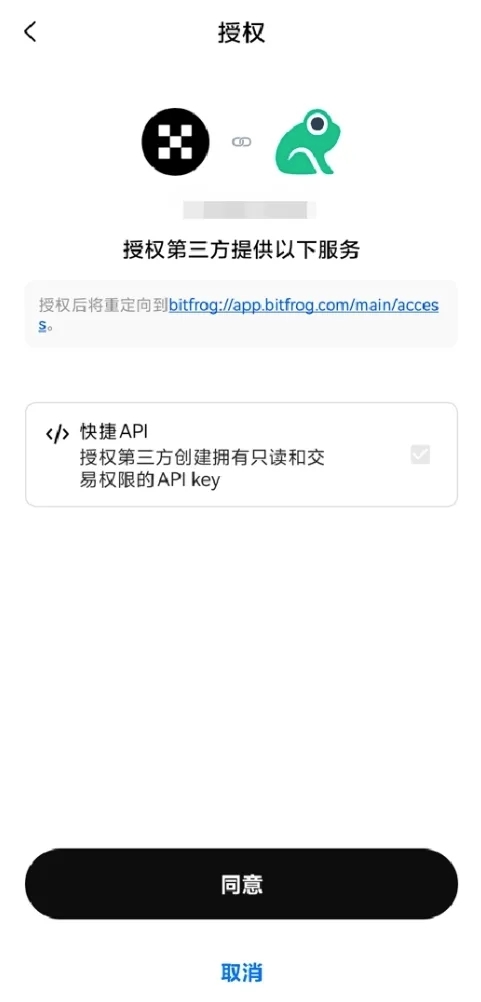
4. 授權成功後，實盤接入成功。

   <figure><img src="/files/biVqqaAPvjnvzZijbYPP" alt="" width="241"><figcaption></figcaption></figure>

注：OKX 是通過 Oauth 方式授權，所以安全性比常規的 API Key 安全很多，因此用戶不用擔心 API Key 遺失造成資金損失的問題。


---

# Agent Instructions: Querying This Documentation

If you need additional information that is not directly available in this page, you can query the documentation dynamically by asking a question.

Perform an HTTP GET request on the current page URL with the `ask` query parameter:

```
GET https://docs.bitfrog.io/zh-tw/jiao-yi-zhi-nan/shi-pan-zhui-zong/okx-zhang-hu-shou-quan-jie-ru-shuo-ming.md?ask=<question>
```

The question should be specific, self-contained, and written in natural language.
The response will contain a direct answer to the question and relevant excerpts and sources from the documentation.

Use this mechanism when the answer is not explicitly present in the current page, you need clarification or additional context, or you want to retrieve related documentation sections.