# 子實盤功能教學

「子實盤」功能允許用戶在已接入實盤的基礎上，根據設定的起始時間，生成一個獨立的子實盤，以便用戶進行深入分析和展示，更好地幫助用戶理解和優化投資策略。

一個主實盤最多生成一個子實盤，子實盤同主實盤一樣可進行資料編輯、實盤相關設定。

子實盤與主實盤不同的地方在於以下幾點：

① 子實盤沒有更新 API、交易報告的功能

② 子實盤不能重置

③ 主子實盤只允許其中一個實盤帶單

注：由於 BitFrog 實盤系統正在全面進行升級，目前僅支援 2024-02-02 後接入的 OKX 實盤與 2024-06-18 後接入的 Binance 實盤使用該功能，其餘實盤在升級完畢後可正常使用該功能。

\
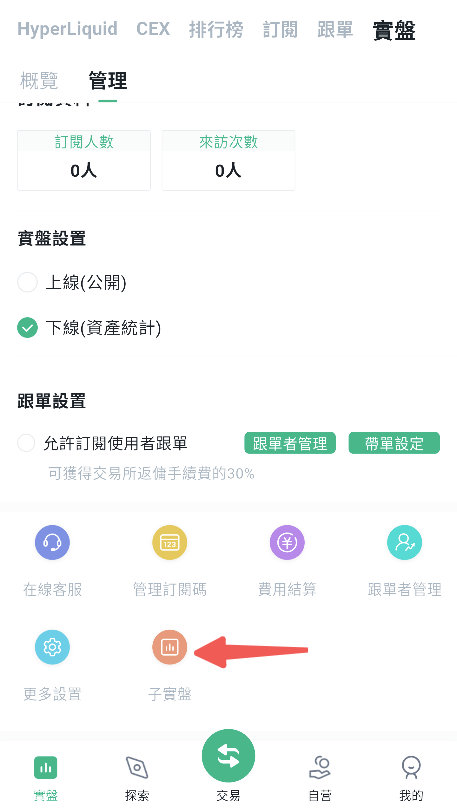
1.在「實盤」欄目，點擊「我的實盤」。

<figure><img src="/files/fK8we86lK7AzqOo0R2UP" alt="" width="343"><figcaption></figcaption></figure>

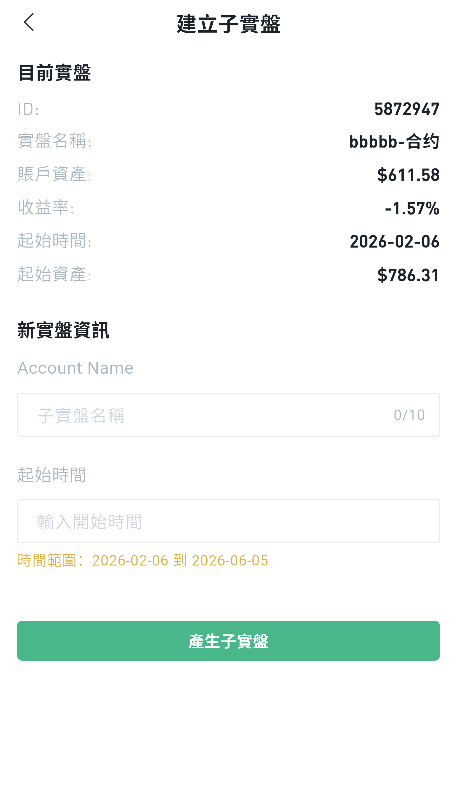
2.編輯實盤資料並輸入起始日期。

<figure><img src="/files/Sl2ay7pliTHmQQwjzuAU" alt="" width="343"><figcaption></figcaption></figure>

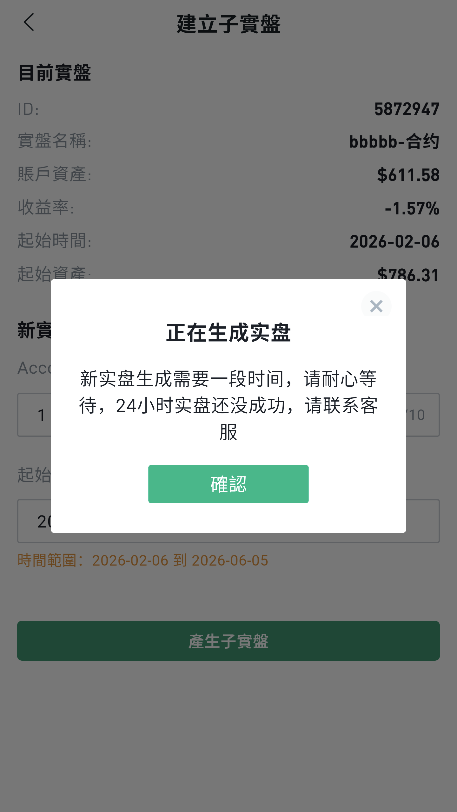
3.系統建立生成。

<figure><img src="/files/K3B1OqWhuVQuFD2HVv2I" alt="" width="343"><figcaption></figcaption></figure>

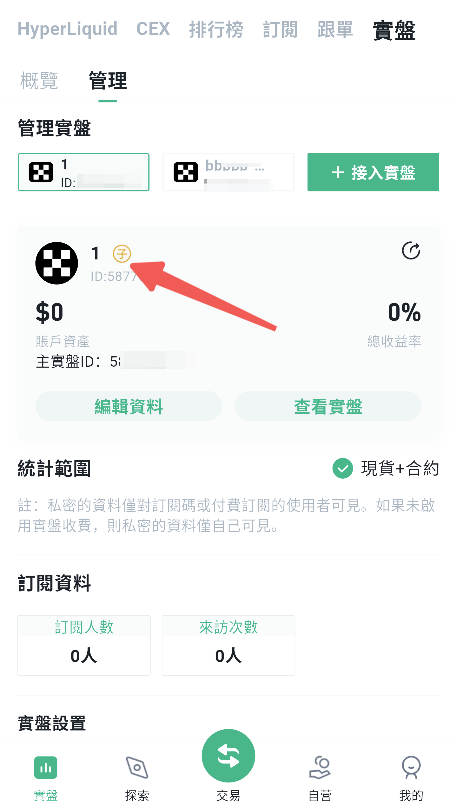
4.建立成功。

<figure><img src="/files/Wd0BxvouzJA7Hf3Uj1Hv" alt="" width="343"><figcaption></figcaption></figure>


---

# Agent Instructions: Querying This Documentation

If you need additional information that is not directly available in this page, you can query the documentation dynamically by asking a question.

Perform an HTTP GET request on the current page URL with the `ask` query parameter:

```
GET https://docs.bitfrog.io/zh-tw/jiao-yi-zhi-nan/shi-pan-zhui-zong/zi-shi-pan-gong-neng-jiao-xue.md?ask=<question>
```

The question should be specific, self-contained, and written in natural language.
The response will contain a direct answer to the question and relevant excerpts and sources from the documentation.

Use this mechanism when the answer is not explicitly present in the current page, you need clarification or additional context, or you want to retrieve related documentation sections.