# 安全认证

#### &#x20;谷歌验证

* **什么是谷歌验证器及注意事项**

（1）谷歌验证器是一款手机动态口令工具，工作原理类似短信动态验证。

（2）部分安卓手机未安装Google play服务，需要下载谷歌安装器，安装谷歌框架服务

（3）谷歌动态口令需要开启摄像头，在打开app时需要授权

（4）部分手机在启用Google play服务时需要重启手机

（5）开启二次验证功能后，用户登录、资产提现、修改密码时需要输入验证码

（6）谷歌验证器每30秒生成一个动态验证码

（7）绑定谷歌验证器时的密钥需妥善保存，若遗失密钥将无法找回，若需要解绑谷歌验证器，需要联系在线客服进行身份验证。

* **下载谷歌验证器**

IOS用户可在appstore搜索Authenticator下载。

Android用户登录应用商店或使用手机浏览器搜索「谷歌验证器」下载。\
[点击下载：谷歌验证器（GA）](https://play.google.com/store/apps/details?id=com.google.android.apps.authenticator2\&pcampaignid=web_share)

* **获取谷歌密钥**\
  \
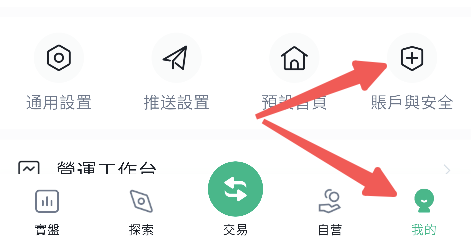
  \&#xNAN;**“点击我的”选择“账户安全”**

  ​

<figure><img src="/files/qBWSkIVonBxih5mdlLG8" alt="" width="269"><figcaption></figcaption></figure>

\
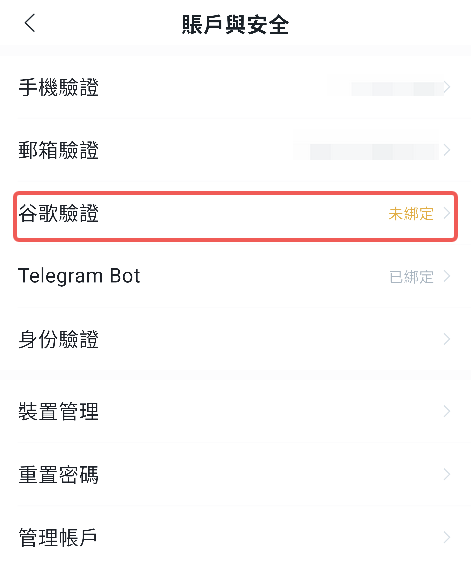
**点击“谷歌验证”**

<figure><img src="/files/x9b03TtVHx0qHKYae99B" alt="" width="279"><figcaption></figcaption></figure>

​\
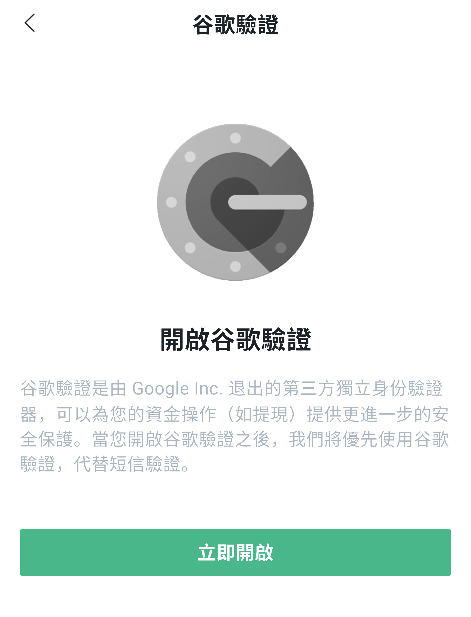
**立即开启**

<figure><img src="/files/dW5JtC8uuwzjgY8aFAG6" alt="" width="269"><figcaption></figcaption></figure>

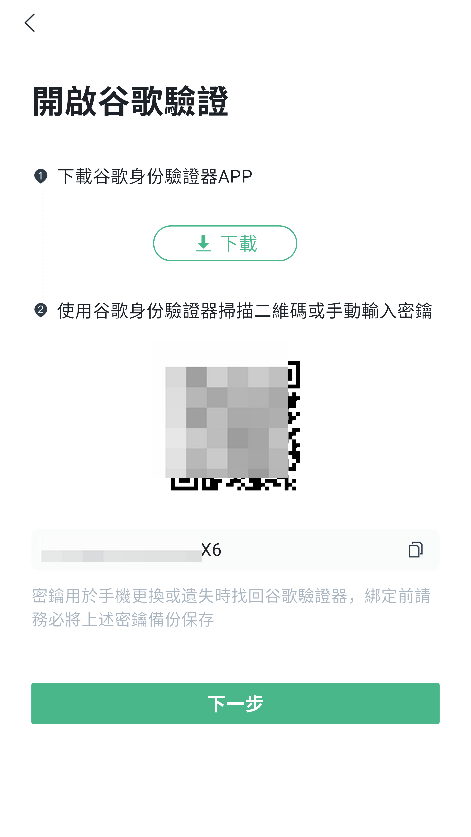
生成二维码图片以及一串密钥

<figure><img src="/files/CWwAyBYDSGY27dFzZhQL" alt="" width="265"><figcaption></figcaption></figure>

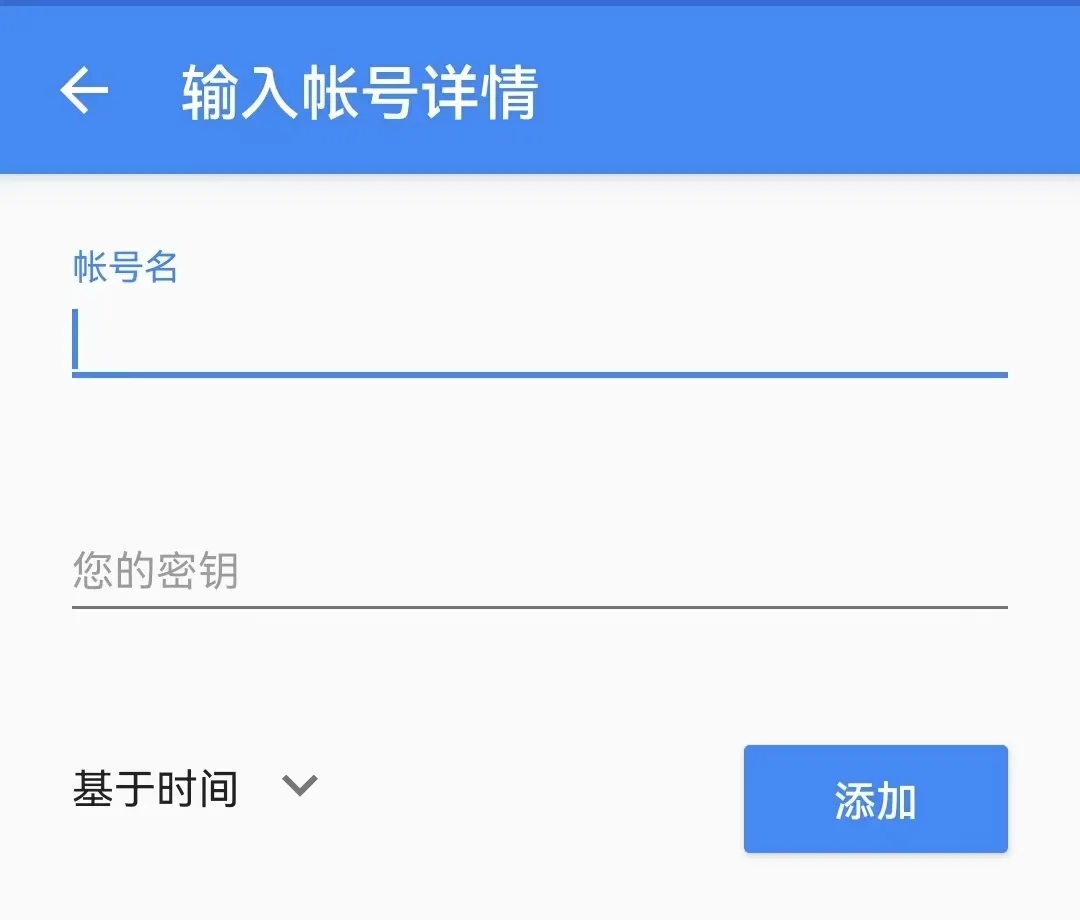
在谷歌验证器中填写秘钥

<figure><img src="/files/UzlLvs4yHQhniZ3ZWbez" alt="" width="375"><figcaption></figcaption></figure>

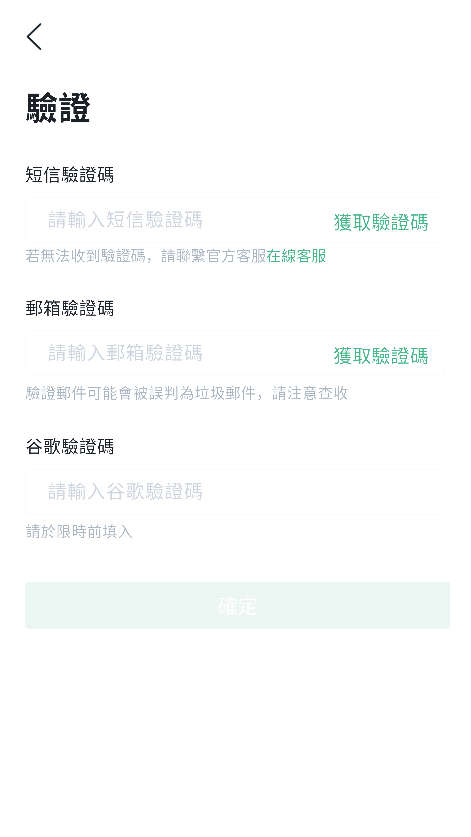
最后确认验证完成绑定

<figure><img src="/files/mVTwqbtZF9ofev9vgZPd" alt="" width="262"><figcaption></figcaption></figure>


---

# Agent Instructions: Querying This Documentation

If you need additional information that is not directly available in this page, you can query the documentation dynamically by asking a question.

Perform an HTTP GET request on the current page URL with the `ask` query parameter:

```
GET https://docs.bitfrog.io/zh-tw/jiao-yi-zhi-nan/zhang-hu-an-quan/an-quan-ren-zheng.md?ask=<question>
```

The question should be specific, self-contained, and written in natural language.
The response will contain a direct answer to the question and relevant excerpts and sources from the documentation.

Use this mechanism when the answer is not explicitly present in the current page, you need clarification or additional context, or you want to retrieve related documentation sections.