
Introduction to TradingView Signal Strategy Trading
Bitfrog has officially launched the TradingView Signal Strategy Trading feature! TradingView users and signal providers can now use their own TradingView signals and set up a signal strategy to trade on Bitfrog while also receiving fee rebates, further reducing trading costs. If you wish to trade using signals on Bitfrog, please follow the steps below.
Step 1 – Access the Strategy Creation Page
Open the Bitfrog App, then tap "Trade" → "Strategy" → "TV Signal Trading" in sequence to enter the strategy creation process.
Step 2 – Basic Information Setup
Edit the signal name and description, then proceed to the next step.
Step 3 – Select Strategy Type
After tapping "Create", you can start setting up signal push. The system will automatically generate a Webhook URL and alert message specifications. You can also choose different order types, such as market orders or limit orders. A market order will be executed immediately at the current market price, while a limit order allows you to set a specific price level to fill the order.
In addition, the entry settings allow you to define the investment amount per order, which determines the proportion of funds allocated to each trade. The allocation ratio per trade is highly customizable – you may choose an amount in USDT (e.g., 1000 USDT), a percentage of available balance (e.g., 10%), or a quantity in coins, offering flexibility in position sizing. Adjusting this setting helps you manage risk and control position size according to your trading strategy.
TradingView – Strategy Type
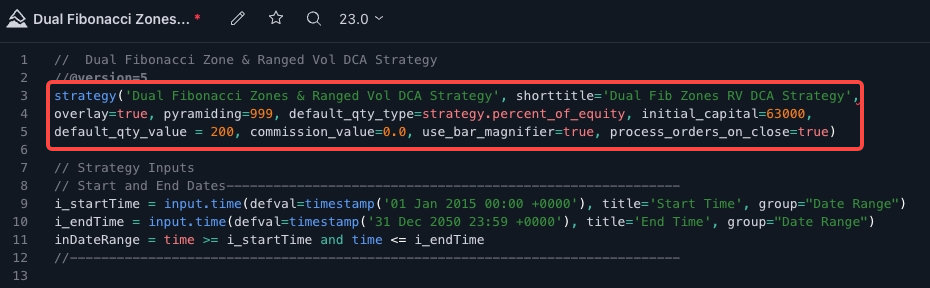
This is a category that allows users to write their own trading buy/sell strategies. It enables automated trading and backtesting of past trading results. By using this feature, you can determine when your trading strategy performs best or worst, making it one of the most important tools for users.
To create an actual strategy script, open the menu at the bottom right and select the option to create a new strategy. Then, write the Strategy class to declare it as a strategy and begin building.
TradingView – Indicator Type
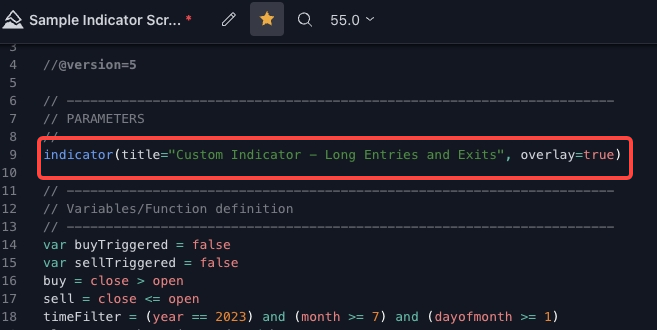
This is a category that allows users to write custom indicators. It makes it easy to create indicators such as Bollinger Bands in the main chart window or MACD crossovers in a sub-window. There are also frequently used built-in functions (described later) available, making it simple to assemble various objects.
To create an actual indicator script, open the menu at the bottom right and select the option to create a new indicator. Then, write the Indicator declaration to define it as an indicator and begin building.
Step 4 – Webhook Configuration Guide
Operations on the TradingView Side:
Strategy-Type Signals: The Webhook URL and alert message location are shown in the image.
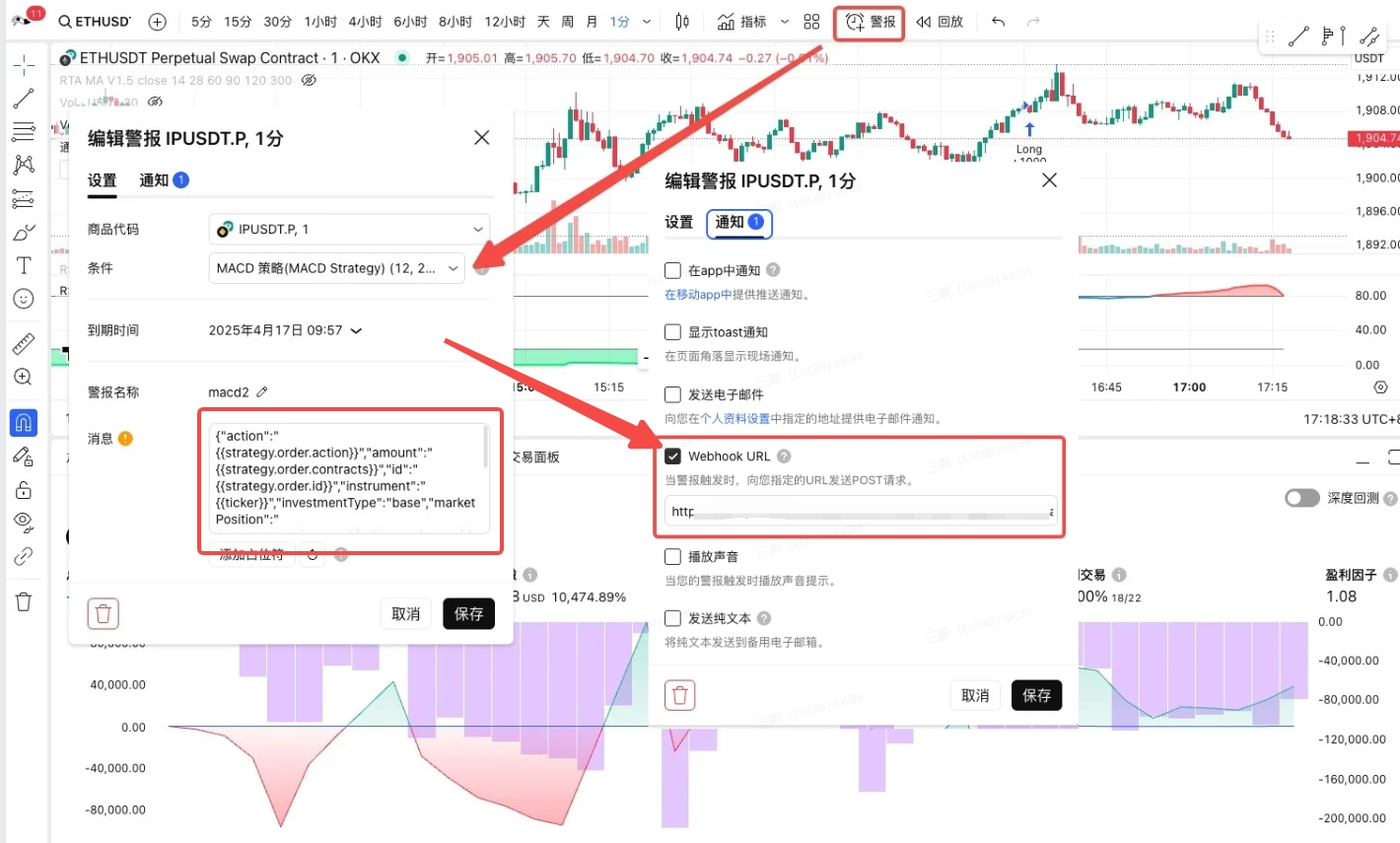
Indicator-Type Signals: The Webhook URL and alert message location are shown in the image.
Step 5 – Signal Created Successfully
You can view it in "My Signals" .
Step 6 – Manage Signal Strategies and Monitoring
Select the signal you wish to use and configure the relevant settings.
Strategy Details Page
Signal Strategy Alert Specifications
For more information on the alert message template specifications, please refer to [this article].
Bitfrog reserves the right to modify, change, or cancel this announcement at any time for any reason, without prior notice, at its sole discretion.
Disclaimer: Digital asset prices are subject to high market risk and price volatility. The value of your investment may fluctuate, and you may lose the amount you invested. You are solely responsible for your own investment decisions, and Bitfrog shall not be held liable for any potential losses. You should only invest in products you are familiar with and understand the associated risks. You should carefully consider your investment experience, financial situation, investment objectives, and risk tolerance, and consult an independent financial advisor before making any investment. This document should not be considered financial advice.