# BitFrog 出资赚币使用教程

### 一、功能简介

\[出资赚币]是 BitFrog 推出的稳健型理财产品。\
用户可将 USDT 出借至平台，用于交易配资业务。平台将依据实际资金使用情况按日计算并发放收益，收益自动结算至用户账户。

***

### 二、操作步骤

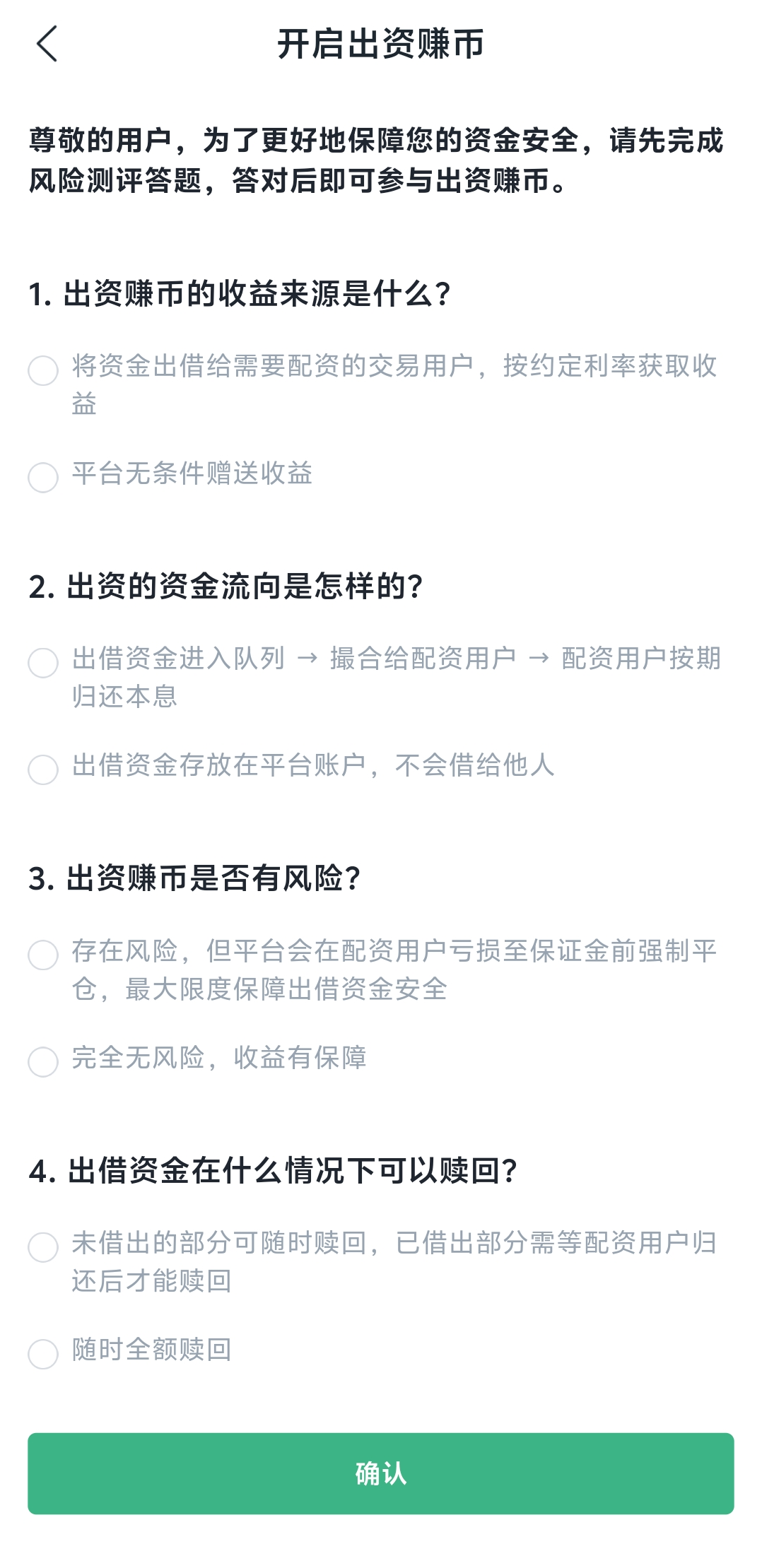
1. **完成风险测评**

   首次使用前，系统将引导完成风险测评问答。\
   完成答题后，即可启用出资功能。

   <figure><img src="/files/QEShlON4ILXxkIxriaD1" alt="" width="375"><figcaption></figcaption></figure>
2. **选择出资币种**

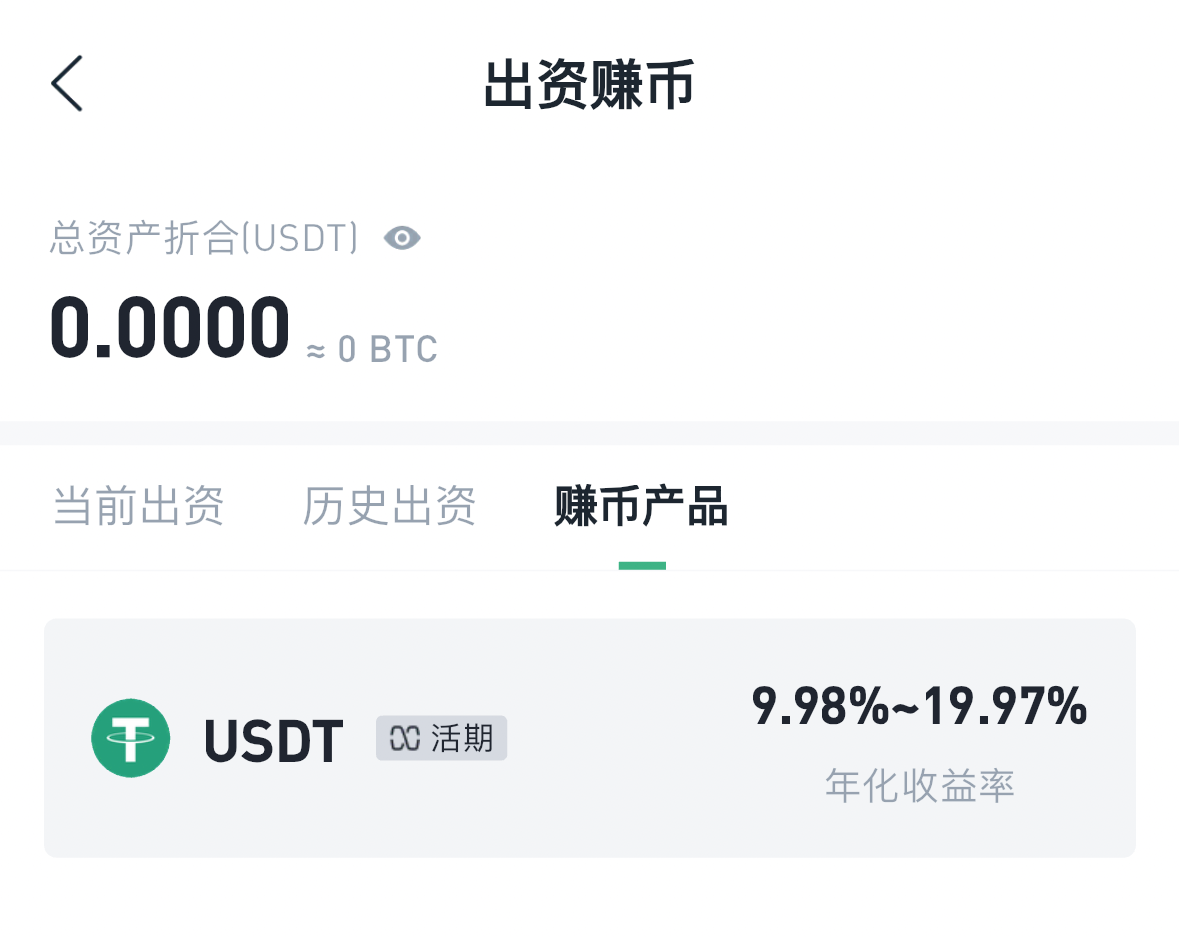
   * 进入【出资赚币】页面，目前支持 USDT
   * 页面将实时展示参考年化收益率范围，收益率随 BTC 资金费率动态调整

   <figure><img src="/files/QfJTZ68UOvjIV5PEs14h" alt="" width="375"><figcaption></figcaption></figure>
3. **填写出资信息**

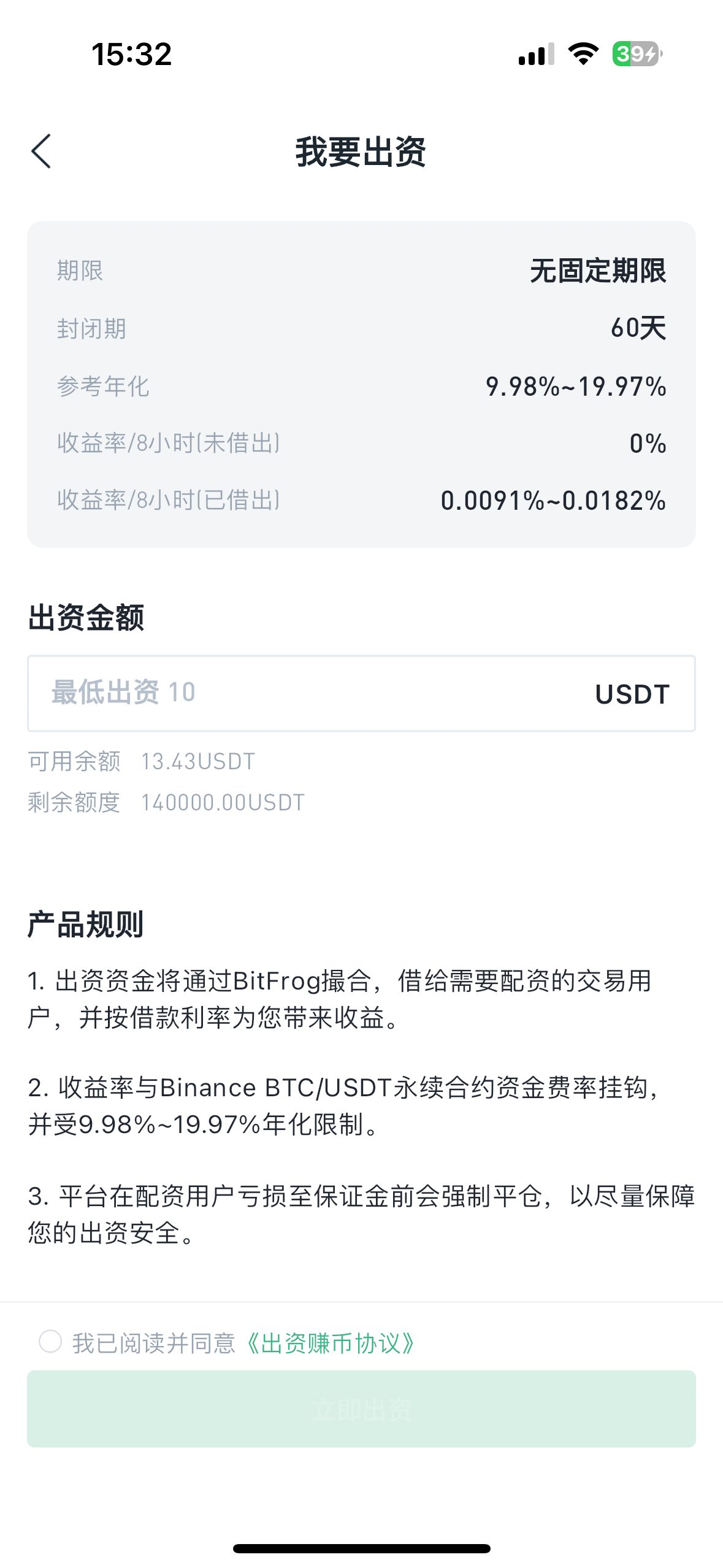
   点击【我要出资】进入详情页，输入出资金额（最低 10 USDT）\
   阅读并勾选同意《出资赚币协议》后，点击【立即出资】

   <figure><img src="/files/2Iei8LYJIjJBjypibBu6" alt="" width="375"><figcaption></figcaption></figure>
4. **查看出资状态与收益**

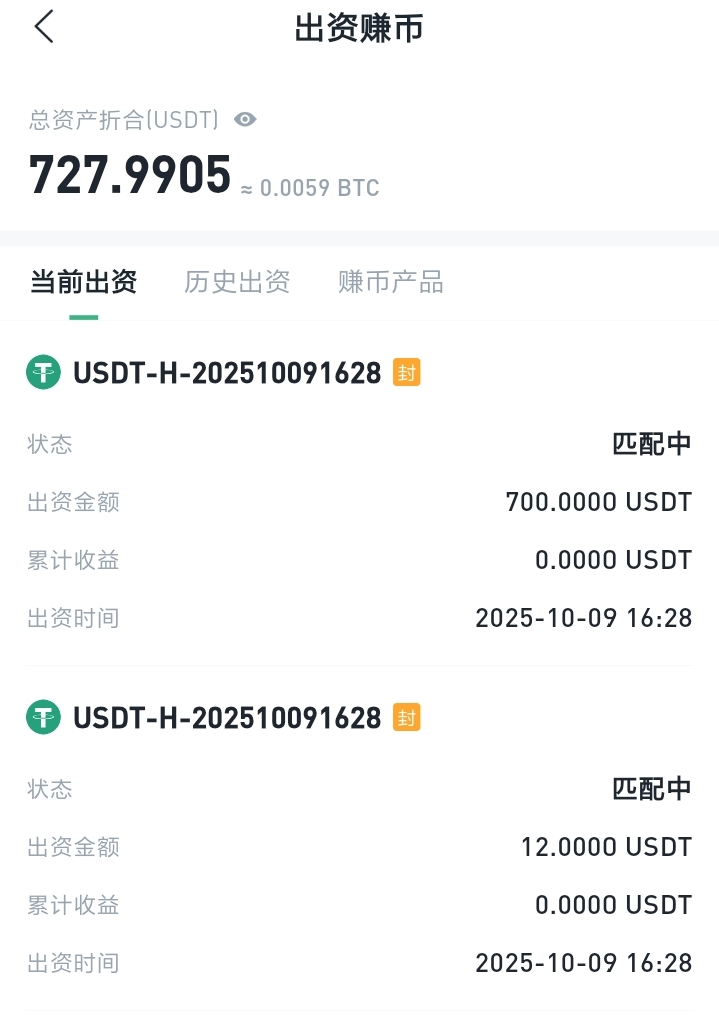
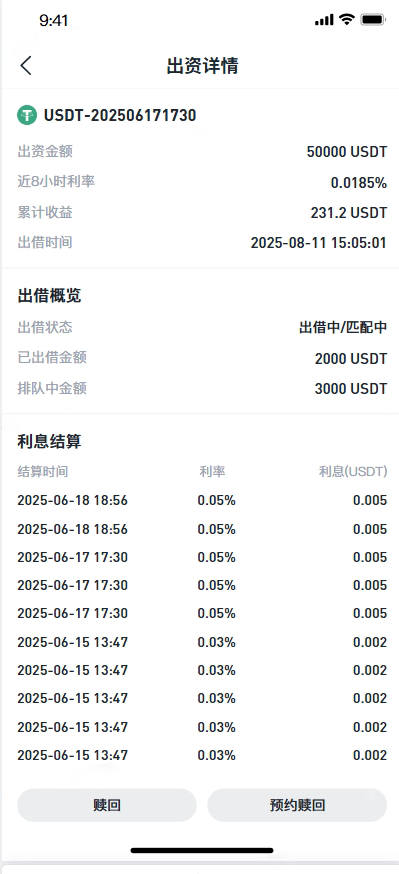
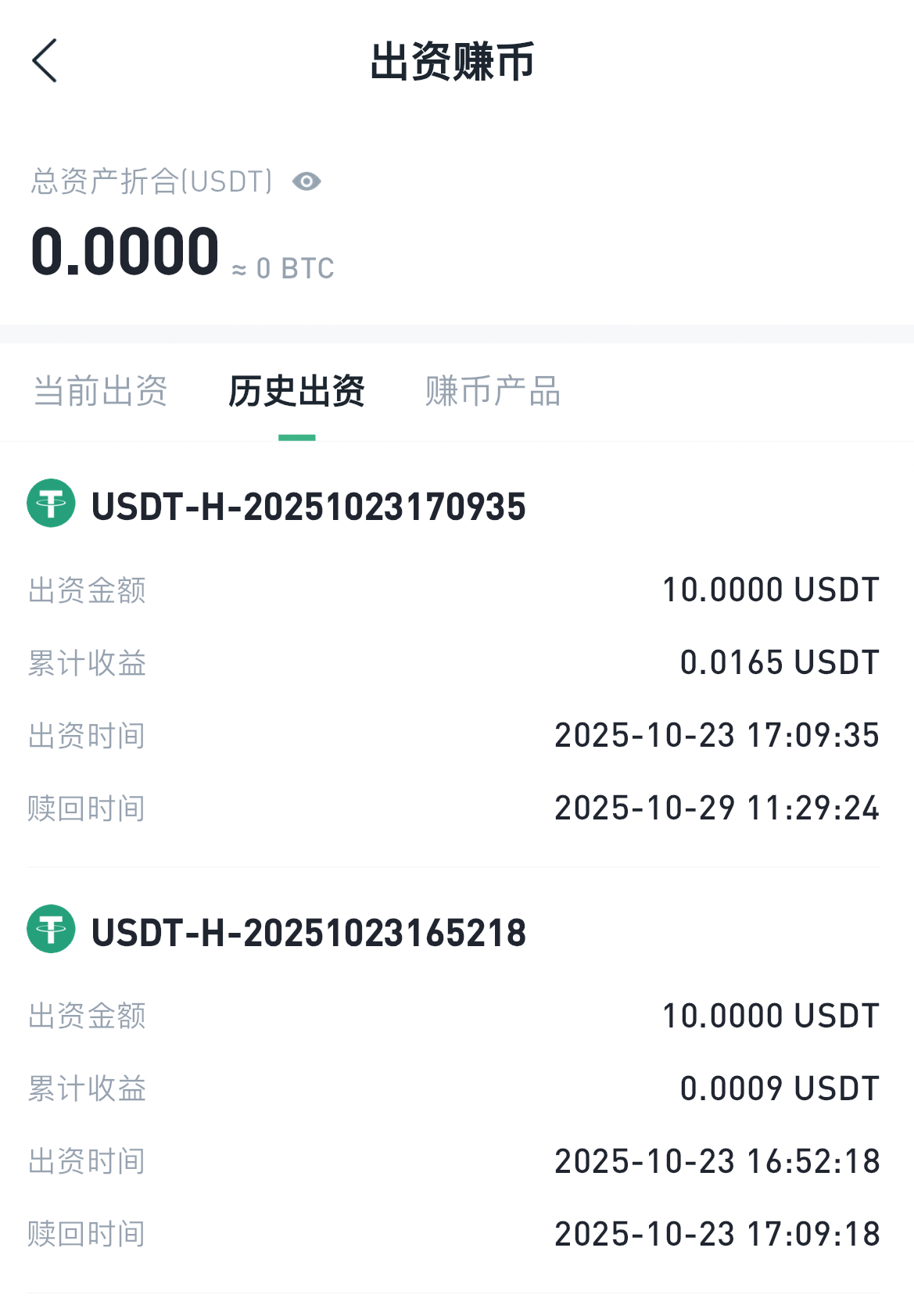
   出资成功后，可在【当前出资】页面查看信息，包括出资金额、收益、实时利率及出资时间\
   点击单条记录可进入【出资详情】，查看每日利息结算明细 平台每日固定时段进行利息结算

   <figure><img src="/files/HOuyeuQHFlFRdGFj3IgT" alt="" width="360"><figcaption></figcaption></figure>
5. **赎回出资**

   出资产品设有 **60 天封闭期**。\
   在封闭期结束后，可选择以下两种赎回方式：

   **1. 赎回**

   在封闭期结束后，用户点击赎回排队中资金将即时返回账户。\
   若当前排队中资金未回流，赎回按钮无法点击

   **2. 预约赎回**\
   系统将自动进入排队处理流程，当配资用户归还借款，系统会自动执行赎回操作。\
   赎回状态将在【出资详情】中保持为“赎回中”，直至赎回完成并到账。

<div><figure><img src="/files/g3iLzcuQaEqfPIlgz0LL" alt=""><figcaption></figcaption></figure> <figure><img src="/files/eijkqv79TRxvSqrC0EWX" alt="" width="375"><figcaption></figcaption></figure></div>

#### 三、收益与安全说明

1. 出资资金将通过 BitFrog 进行撮合，出借给有配资需求的交易用户，并按约定利率获取收益。
2. 收益率与 Binance BTC/USDT 永续合约资金费率挂钩，受 9.98%–19.97% 年化区间限制。
3. 平台将在配资用户亏损至保证金前强制平仓，以最大程度保障出资资金安全。

*免责声明：BitFrog保留随时全权酌情因任何理由修改、变更或取消此公告的权利，无需事先通知。*


---

# Agent Instructions: Querying This Documentation

If you need additional information that is not directly available in this page, you can query the documentation dynamically by asking a question.

Perform an HTTP GET request on the current page URL with the `ask` query parameter:

```
GET https://docs.bitfrog.io/jiao-yi-zhi-nan/chu-zi-zhuan-bi/bitfrog-chu-zi-zhuan-bi-shi-yong-jiao-cheng.md?ask=<question>
```

The question should be specific, self-contained, and written in natural language.
The response will contain a direct answer to the question and relevant excerpts and sources from the documentation.

Use this mechanism when the answer is not explicitly present in the current page, you need clarification or additional context, or you want to retrieve related documentation sections.